Chapter 16
How Do I Cover Multiple Systems in One SSP?
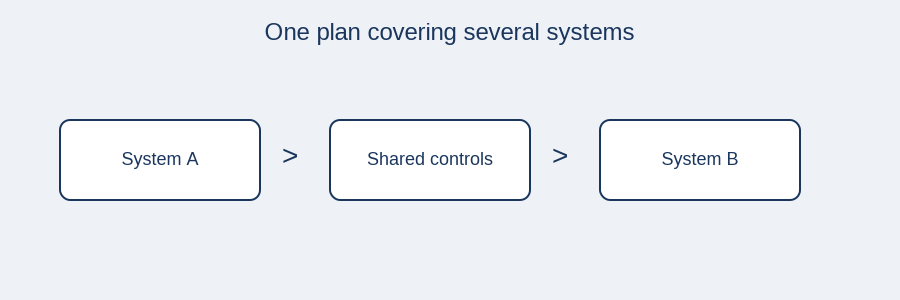
You run three systems and one plan sounds simpler. It is simpler only when the plan stays clear. A muddled plan costs more than three neat ones.
A System Security Plan (SSP) describes a system and its safeguards. It also describes the boundary around that system. One SSP can cover several systems when they share controls and governance.
When one plan fits
One plan fits when the systems share the same owner. It fits when they share the same policies and the same support team. It fits when their safeguards work the same way.
One plan does not fit when the systems hold different data types. It does not fit when one system has far stricter access rules. It does not fit when the teams answer to different owners.
If you are unsure, split the plan. A split plan is easier to fix than a merged plan an assessor cannot follow.
Structure that keeps it readable
Open with a clear boundary section. Name each system in the plan. State what each system does and what data it holds.
Next, describe shared controls once. Shared controls include access policy and training. They include patching and log review when one team runs them.
Then add a section per system for what differs. List the systems, servers, and links unique to each one. List the safeguards that work differently in each system.
End each system section with its own data flow. Show where Controlled Unclassified Information (CUI) enters and leaves that system. CUI is information the government marks as needing protection.
Shared controls need shared proof
A shared control still needs evidence per system. A patch log for system A does not prove system B was patched. Keep evidence grouped by system, even when the control text is shared.
Name the owner of each shared control. Name the team that runs it each day. An assessor will ask who to interview for that control. One clear name beats a committee list.
Record differences in a simple table. One row per system and one column per key control. Mark each cell as shared, same, or different. That table guides the whole assessment.
Changes and version control
A change to one system can affect the shared sections. Update the plan before the change goes live. Note the change in the version history with a date.
Review the full plan when any system changes scope. A new data flow in one system may change the boundary for all. A yearly review alone will miss that shift.
What to do this week
Draw the boundary for each system on one page. Mark the shared parts and the unique parts. If the page looks tangled, split the plan.
Sources
- NIST SP 800-18 Revision 1, Guide for Developing Security Plans, National Institute of Standards and Technology.
- NIST SP 800-171 Revision 2, National Institute of Standards and Technology.
- Original diagram by PolicyCortex.
Next step
Want your plan sections linked to live evidence? See how PolicyCortex collects it from live systems.